Your system is already programmed
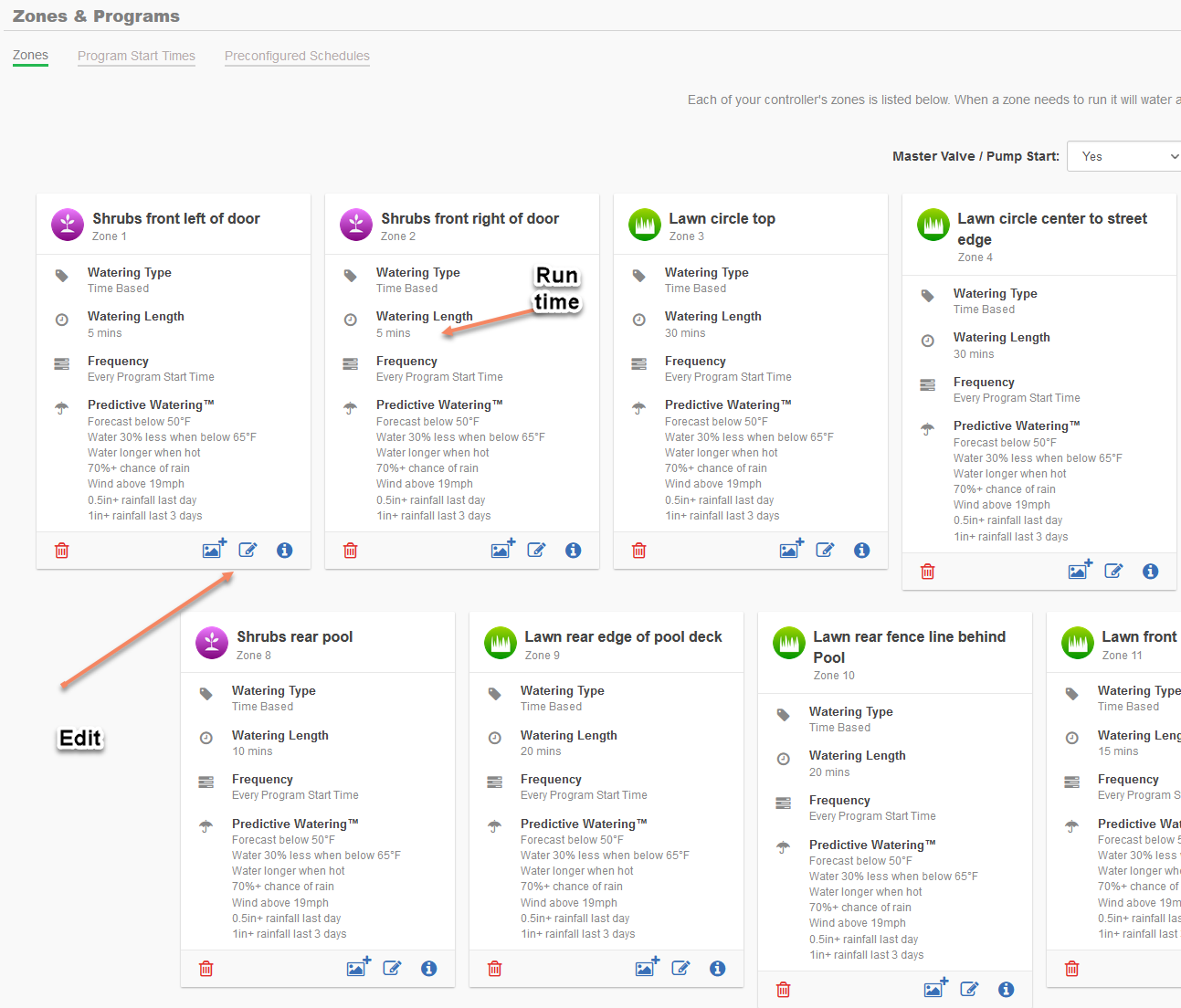
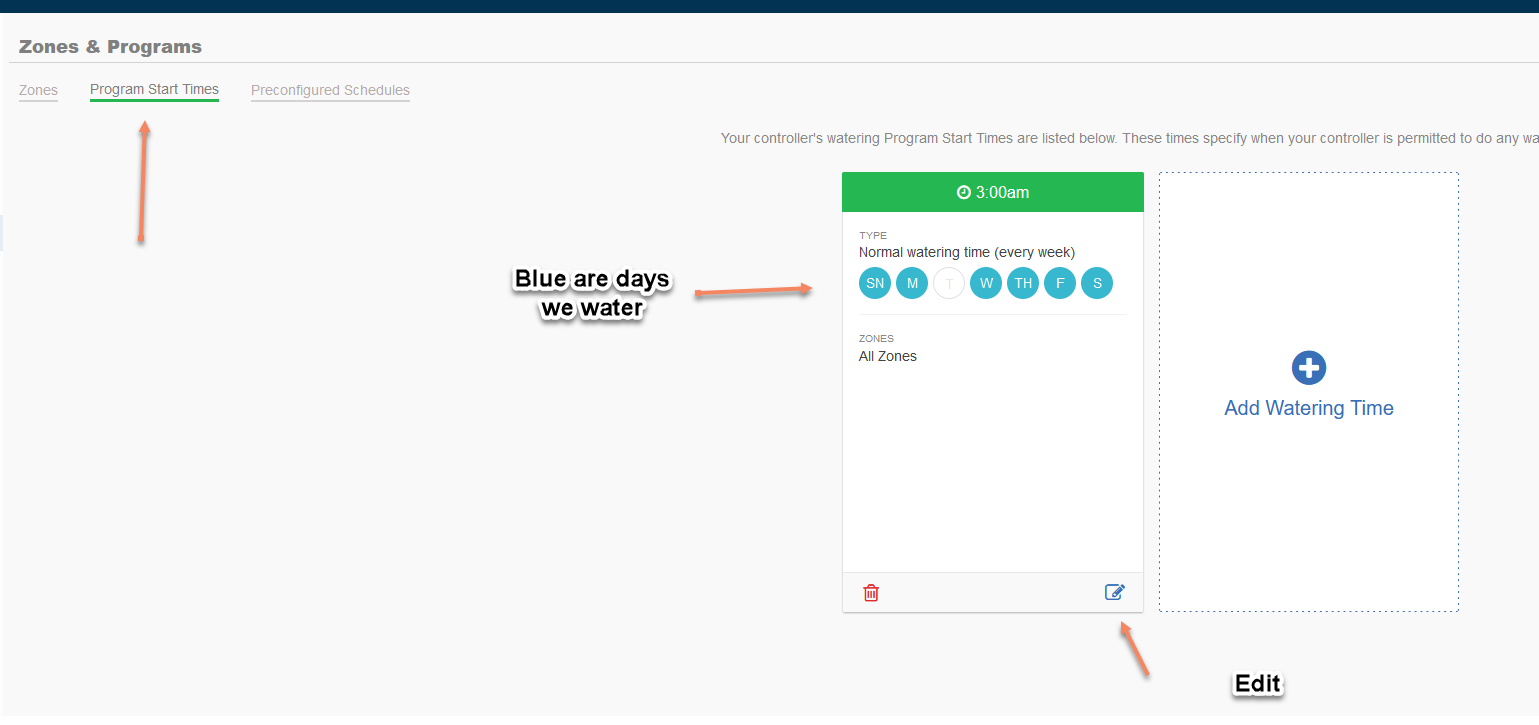
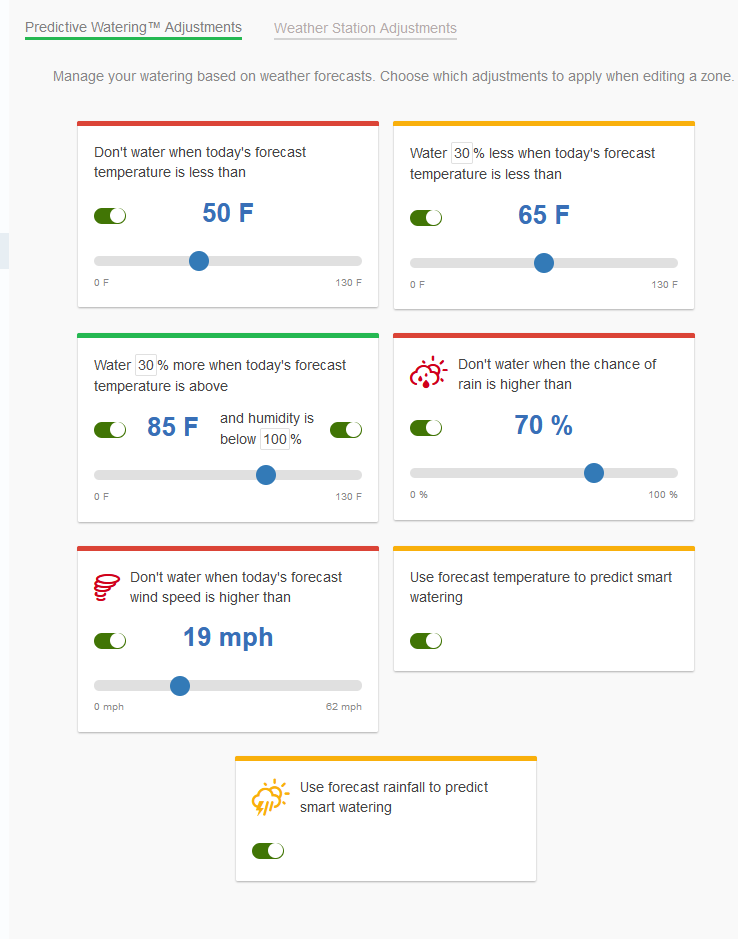
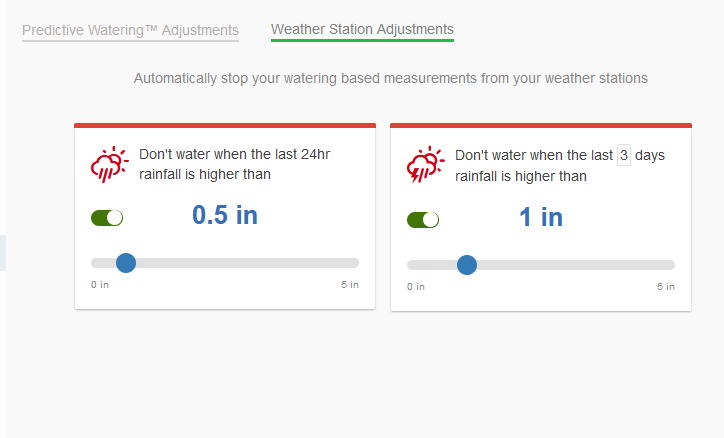
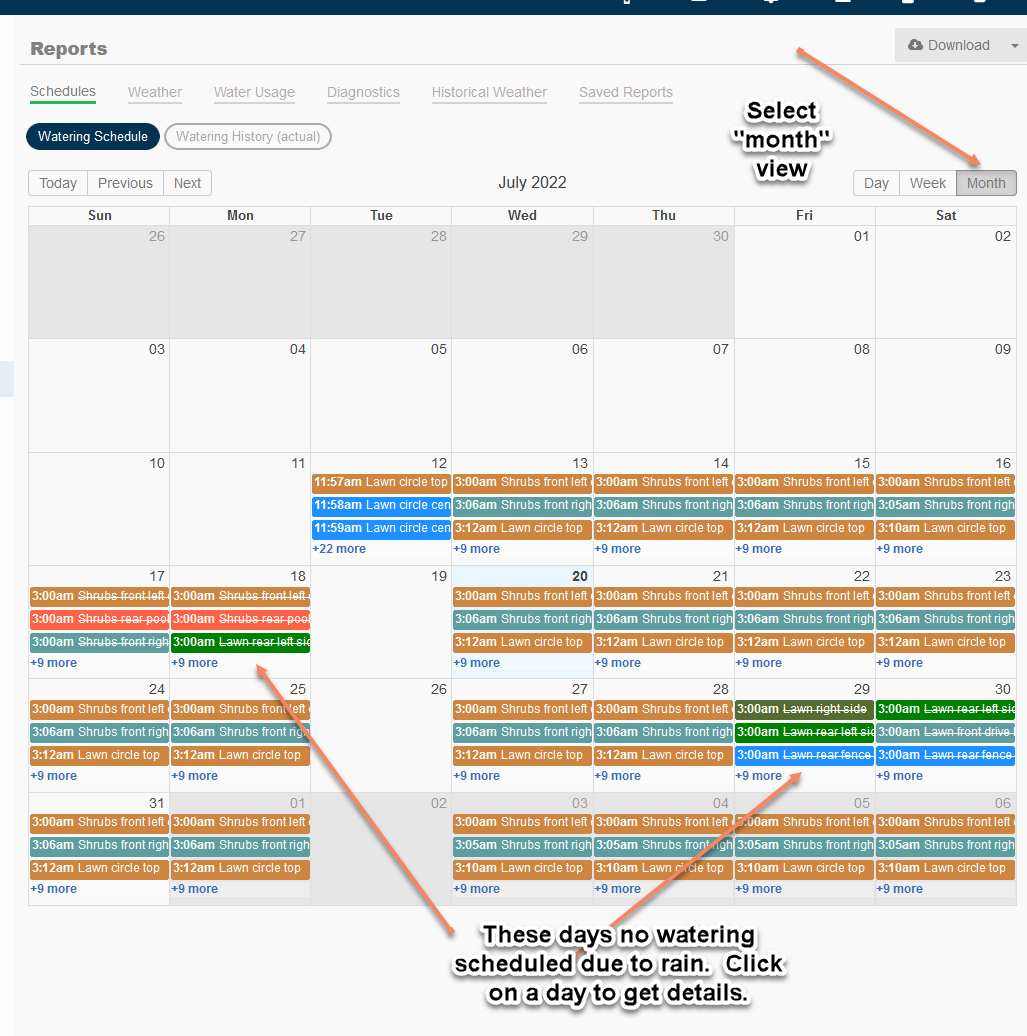
Your system has been pre-programmed to operate 4 days per week on Monday, Wednesday, Friday, and Saturday at 3 am, unless the weather forecast cancels a scheduled watering with a 70% chance of rain in that 24 hour period or prior days rainfall exceeds 1/2 inch, which will also result in a cancel the following day.
Of course, in hot dry weather we can increase water to 5–6 days per week. It is entirely up to you.
There is nothing for you to program or set up, but feel free to explore the system.
Of course, in hot dry weather we can increase water to 5–6 days per week. It is entirely up to you.
There is nothing for you to program or set up, but feel free to explore the system.